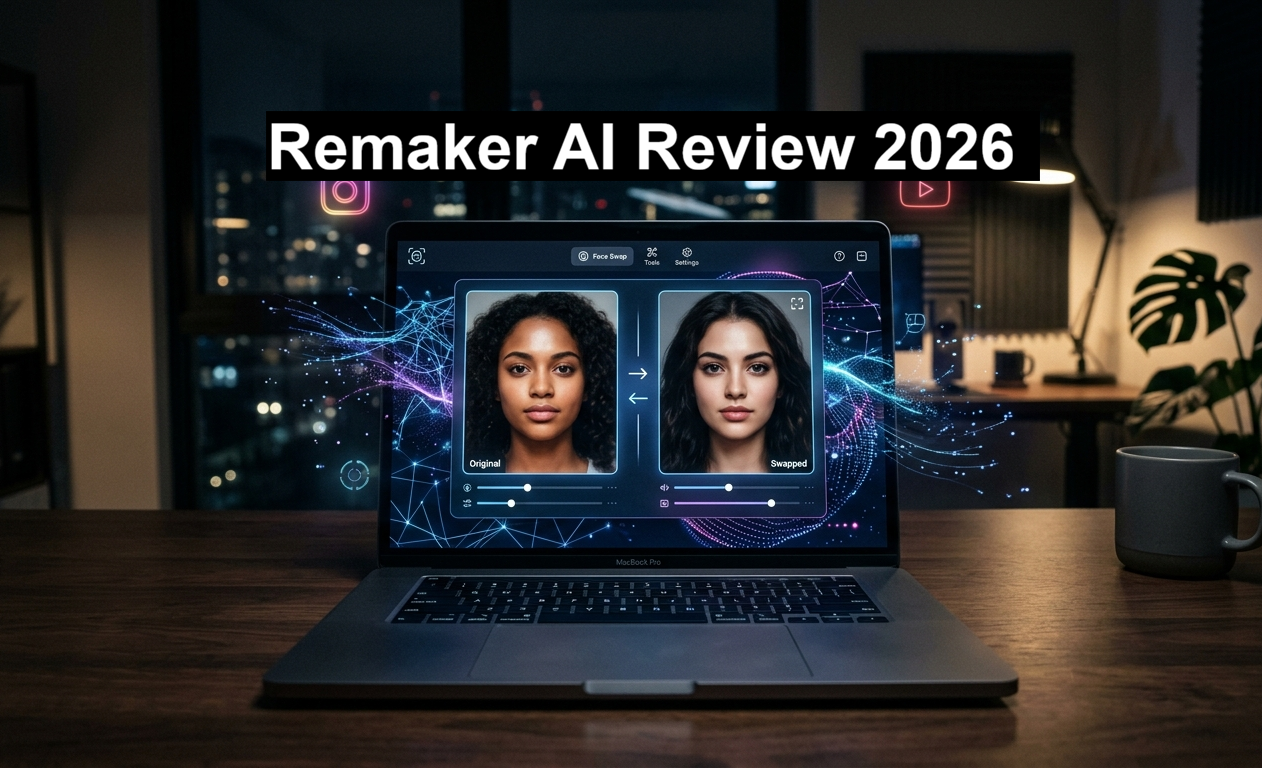
Remaker AI Review 2026: The Honest Truth About the Viral Face Swap Tool Everyone Is Talking About
If you’ve spent any time on Instagram Reels, YouTube Shorts, or TikTok in the past year, chances are you’ve seen it — those eerily realistic face-swapped videos where someone’s face seamlessly replaces another. There’s a very good chance that content was made using Remaker AI.
This tool has exploded in popularity among content creators, marketers, and even complete beginners who have never touched photo editing software in their lives. But what exactly is Remaker AI? Is it actually worth your time and money? And most importantly — how do you use Remaker AI step by step?
I’ve done the deep-dive so you don’t have to. This is the most complete Remaker AI review you’ll find in 2026 — covering features, pricing, real use cases, pros and cons, and exactly how to get started even if you’re a complete beginner.
Remaker AI is an online AI-powered creative platform best known for its face swap feature. It lets you swap faces in photos, videos, and GIFs using artificial intelligence — no design skills required. It offers a free plan with 30 credits and paid credit packs starting at $5.99. It’s ideal for content creators, social media managers, and anyone who wants to create viral content fast.
What Is Remaker AI? (The Simple Explanation)
Remaker AI is an online AI content generator and image editing platform that launched in early 2023. At its core, the platform uses advanced deep learning algorithms to let users swap faces in photos and videos with stunning realism. Think of it as the Swiss Army knife of AI image editing — it does far more than just face swaps.
The platform was founded by Alex Zhang and is operated by ZINGDECK INTL PTE. LTD., based in Singapore. It has already attracted over 50,000 users worldwide and has been recognized by a16z — one of Silicon Valley’s most respected venture capital firms — in its 2025 AI awards. That alone tells you something serious is going on here.
What makes Remaker AI stand out from the dozens of other face swap tools flooding the market is that it packages everything into a single, clean, browser-based interface. No software downloads, no complicated setup — just open your browser, upload your photo or video, and let the AI do the heavy lifting.
Remaker AI Features: What Can It Actually Do?
Most people discover Remaker AI through its face swap feature and then realize it’s an entire creative suite. Here’s a look at everything the platform offers:
AI Face Swap
Single face swap, multiple face swap, and batch processing for up to 50 photos at once. Works on both images and videos.
Video Face Swap
Upload any video and the AI tracks and replaces the face throughout the entire clip with smooth, realistic blending.
AI Image Generator
Generate stunning visuals from text prompts using multiple models including the Nano Banana model for realistic photos.
AI Portrait Generator
Turn selfies into professional-grade AI portraits instantly — perfect for profile pictures and avatars.
Image Upscaler
Increase image resolution up to 4K without losing quality. Restores facial details in blurry or old photos automatically.
Background Remover
Removes backgrounds automatically in seconds. Great for product photos, profile pictures, and eCommerce use.
Gender Swap
Transform facial features to appear more masculine or feminine — one of the most shared features on social media.
Watermark Remover
Erase watermarks and logos from images cleanly without leaving any visible traces behind.
Voice Cloning & Video
Convert text to video, images to video, and even clone voices — ideal for creating viral reels and TikTok content fast.
The platform groups all tools into three categories: AI Generators, AI Editors, and GPTs. Everything runs directly in your browser and works across Windows, Mac, iOS, and Android without any downloads needed.
How to Use Remaker AI Face Swap: Step-by-Step Guide for Beginners
One of the biggest reasons Remaker AI has grown so quickly is that it genuinely doesn’t require any technical knowledge. Here’s exactly how to get started:
-
Create Your Account
Visit remaker.ai and sign up using your Google account or email. New users automatically receive 30 free credits on sign-up — enough to test the main features before spending a single rupee.
-
Choose Your Tool
From the dashboard, select the feature you want to use. For face swap, click on the Face Swap tool. You’ll see clear options for Single Face Swap, Multiple Face Swap, and Batch Face Swap.
-
Upload Your Images
Upload your original image (the one with the face you want to replace) and your target image (the face you want to use). Make sure both photos are clear and well-lit for the best results. Accepted formats include JPG, PNG, WebP, and for videos — MP4 and MOV.
-
Select Your Mode
Choose between V1 (faster processing) and V2 Beta (better quality and more realistic blending). For anything you plan to share publicly, V2 is the recommended choice — the difference in realism is noticeable.
-
Generate & Fine-Tune
Hit the swap button and wait a few seconds. Once generated, use the manual adjustment tools to fine-tune blend strength (85–90% often gives the most natural edges). Don’t just accept the first output — small tweaks can take a good result to a great one.
-
Download & Share
Export your final image or video in high quality — paid users get clean, watermark-free exports up to 4K resolution. Share directly to Instagram, TikTok, YouTube Shorts, or wherever your audience lives.
Earn an additional 5 free credits every day simply by logging in. You can also earn credits by sharing on social media. If you’re a light user, this daily login trick can keep your credits topped up without ever paying anything.
Remaker AI Pricing: Is It Worth the Cost?
Here’s something that sets Remaker AI apart from most AI tools — instead of locking you into a monthly subscription, it uses a credit-based pricing system. You buy credits, use them as you go, and only buy more when you need them. No surprise charges, no recurring fees eating at your budget.
Free plan users get 30 credits on sign-up plus 5 credits daily for logging in. Paid credits remove watermarks, unlock 4K resolution, and eliminate daily editing limits.
| Plan | Credits | Price | Best For |
|---|---|---|---|
| Free Plan | 30 (signup) + 5/day | $0 | Testing & casual users |
| Starter Pack | 200 credits | $5.99 | Occasional use |
| Popular Pack Popular | 530 credits | $9.99 | Regular content creators |
| Pro Pack | 1,100 credits | $19.99 | Active creators & teams |
| Power Pack | 3,000 credits | $49.99 | Social media agencies |
| Enterprise | 20,000 credits | $299 | High-volume commercial use |
The 530-credit pack at $9.99 offers around a 38% discount compared to buying smaller packs — which is why it’s marked as the most popular option. One face swap typically costs between 5–15 credits depending on the complexity, so 530 credits goes a surprisingly long way for most users.
Compared to traditional tools like Adobe Photoshop or Premiere Pro (which can run ₹5,000+ per month), Remaker AI’s credit system is genuinely more flexible and affordable — especially for users who only need it occasionally rather than every single day.
Remaker AI Pros and Cons: The Honest Assessment
No tool is perfect, and I’d rather give you the real picture than write a puff piece. Here’s what genuinely works and what doesn’t:
✓ What Works Well
- Genuinely beginner-friendly — no design skills needed whatsoever
- Realistic face swaps that preserve original lighting and skin tones
- All-in-one platform with 15+ AI tools in one place
- No software download — runs entirely in any browser
- Fast processing, even for high-resolution outputs
- Flexible credit system — pay only for what you use
- 4K export quality on paid plans
- Works on mobile and desktop browsers seamlessly
- Batch processing for up to 50 images at once
- Free credits available daily just for logging in
✗ Where It Falls Short
- Free plan credits run out quickly for heavy users
- Some “uncanny valley” effect in complex or low-light scenes
- Customer support response can take 2–3 days
- Video face swap limited to single face only
- Inconsistent quality depending on source image resolution
- Trustpilot rating of 2.6/5 — mixed user experiences
- Heavy commercial use can hit daily caps on Pro plans
- Privacy documentation could be more transparent
Who Should Use Remaker AI? Real-World Use Cases
After testing it across dozens of scenarios, here’s where Remaker AI genuinely shines — and who gets the most value out of it:
Content Creators & Social Media Managers
If you’re producing Reels, TikToks, or YouTube Shorts regularly, Remaker AI is a serious time-saver. The ability to generate face-swapped content, create AI portraits, and enhance video quality — all from a single dashboard — makes it far more efficient than juggling five different apps. Marketers have used it to personalize advertisements and create engaging campaign content that actually converts.
Meme Makers & Casual Fun
This is honestly where Remaker AI started getting viral. Swapping your face into historical photos, classic paintings, celebrity images, or popular movie scenes has become a hugely popular trend — and Remaker AI makes it dead simple. You don’t need editing skills. You barely need patience.
eCommerce & Product Photography
The background removal and image upscaling features are genuinely useful for small business owners and eCommerce sellers. Instead of paying for expensive product photography sessions, you can remove backgrounds, enhance resolution, and create clean product images in minutes.
AI Headshots & Professional Photos
Need a professional headshot but don’t want to schedule a photoshoot? The AI Portrait Generator turns a basic selfie into a polished, professional-looking headshot. Several users report using this feature for LinkedIn profiles, business cards, and corporate presentations.
Education and Training
Teachers and corporate trainers have found creative applications here — using face swaps and AI-generated visuals to create more engaging educational materials and presentation content.
Remaker AI vs Competitors: How Does It Stack Up?
The face swap space is crowded, so it’s worth knowing where Remaker AI sits relative to the alternatives:
Remaker AI vs Deepswap: Both are priced at $9.99 for their starter paid tiers. Deepswap supports multiple face swaps in both images and videos — Remaker AI currently only supports single face swaps in videos. However, Remaker AI scores higher on processing speed (4/5 vs Deepswap’s 3/5 in independent tests) and offers a much broader toolkit beyond just face swapping.
Remaker AI vs FaceApp: FaceApp is more focused on filters, aging effects, and simple gender swaps. Remaker AI offers deeper functionality including video face swap, batch processing, and a full image generation suite — making it the more powerful choice for serious content creation.
Remaker AI vs Adobe Photoshop: Not really a fair comparison — Photoshop is a professional tool requiring significant skill and a steep monthly subscription. Remaker AI wins on accessibility and speed; Photoshop wins on precision and control for professional graphic design work.
Frequently Asked Questions About Remaker AI
Is Remaker AI free to use?
Yes, Remaker AI offers a free plan with 30 credits on sign-up and 5 additional credits every day you log in. The free plan includes basic face-swapping capabilities, though outputs may have watermarks and resolution limitations. For unlimited, watermark-free, high-resolution exports, a paid credit pack is needed.
Is Remaker AI safe? Does it store my photos?
According to Remaker AI’s privacy policy, uploaded images are deleted after 24 hours and encrypted during transmission. That said, privacy documentation could be more detailed and transparent. As a best practice, avoid uploading sensitive personal photos or confidential client images until you’ve reviewed their full privacy terms.
Does Remaker AI work on mobile?
Yes. Remaker AI runs entirely in your browser — no app download required. It works smoothly on mobile browsers across iOS and Android. There is also a dedicated app available on the App Store and Google Play, though be aware that some third-party apps on app stores claim to be Remaker AI without being officially connected to the remaker.ai website.
Can Remaker AI swap faces in videos?
Yes. Remaker AI supports video face swapping — the AI tracks the face throughout the entire clip and replaces it with realistic blending. Videos can be up to 10 minutes in length on the platform. Note that video face swap currently supports single face swapping only (not multiple faces in one video).
What is the best Remaker AI pricing plan?
For most regular content creators, the 530-credit pack at $9.99 offers the best value — it comes with roughly a 38% discount and enough credits for dozens of face swaps and edits. Casual or first-time users should start with the free plan to test the features before committing to a paid pack.
Who founded Remaker AI?
Remaker AI was founded by Alex Zhang, who serves as CEO of the company ZINGDECK INTL PTE. LTD., based in Singapore. The platform launched in early 2023 and has grown to over 50,000 users worldwide, with recognition from a16z in their 2026 AI platform awards.
Should You Use Remaker AI in 2026?
If you’re a content creator, social media manager, marketer, or just someone who wants to have fun creating viral content — yes, absolutely try Remaker AI. The free plan gives you enough credits to genuinely evaluate whether it fits your workflow, and the credit-based pricing means you’re never locked into paying for something you barely use.
It’s not flawless — the uncanny valley effect can appear in complex scenes, customer support isn’t the fastest, and heavy commercial users will feel the credit limits. But for most people who want fast, realistic face swaps and AI-powered image tools without learning Photoshop or spending a fortune? Remaker AI is absolutely worth it.
Start with the free plan → test the face swap and image upscaler → then decide if a paid pack makes sense for your workflow. That’s the smart approach.